Knock retard is the single most important safety channel in your log. It's also the one most likely to send people chasing the wrong table.
This is a practical guide to reading the KR channel in an HPTuners VCM Scanner log: what the ECM is actually doing when it pulls timing, which patterns matter, and how to tell real knock from sensor noise before you touch the spark table.
What Knock Retard Actually Is
The knock sensors are piezoelectric microphones bolted to the block. When the ECM detects vibration in the knock frequency window for a given cylinder event, it pulls ignition timing — that's the KR value you see in the log, in degrees.
Two things follow from that:
KR is a reaction, not a measurement. The ECM isn't telling you how bad the knock was. It's telling you how much timing it removed in response to what it heard.
The sensor hears everything. Valvetrain noise, a loose heat shield, an exhaust leak ticking against the frame — anything in the right frequency range can register. This is why pattern matters more than any single event.
What Normal Looks Like
On a healthy calibration running appropriate fuel:
- Idle and cruise: 0° KR, essentially always
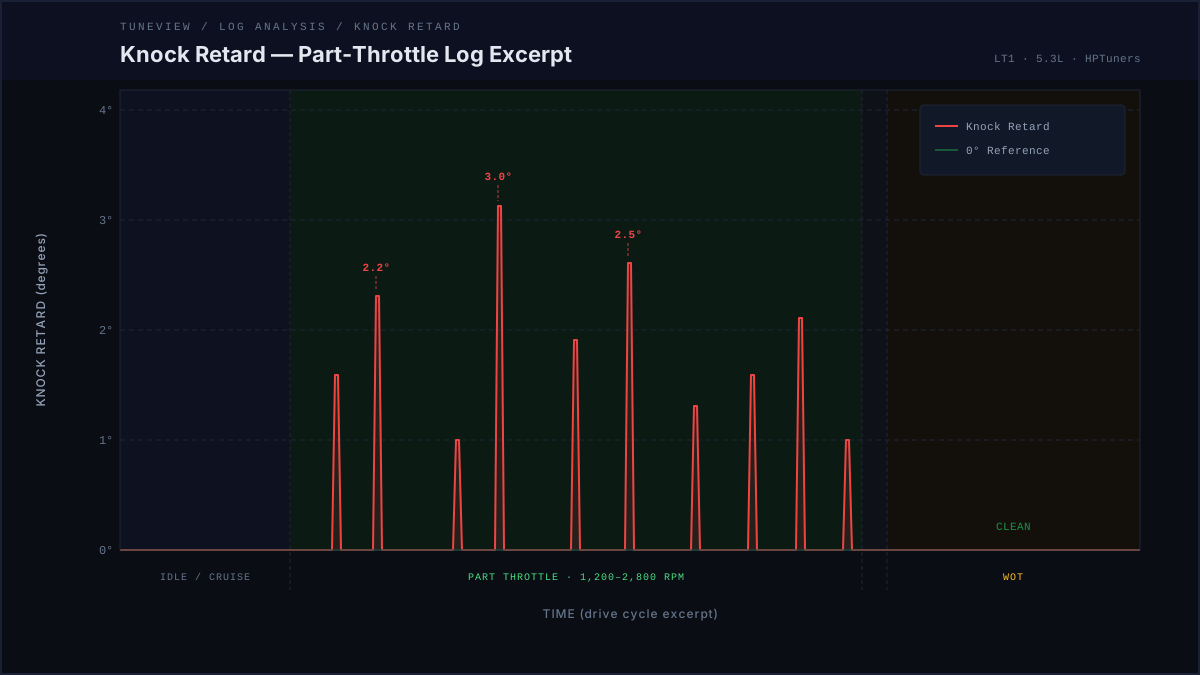
- Light acceleration: occasional blips of 0.5–2° that decay immediately
- WOT: 0° is the goal. Brief single events under ~2° that don't repeat at the same RPM/load point are usually noise
- Decel and shifts: short spikes are common and usually mechanical noise, not combustion knock
The number itself matters less than whether it repeats, whether it decays, and where it happens.
Patterns Worth Acting On
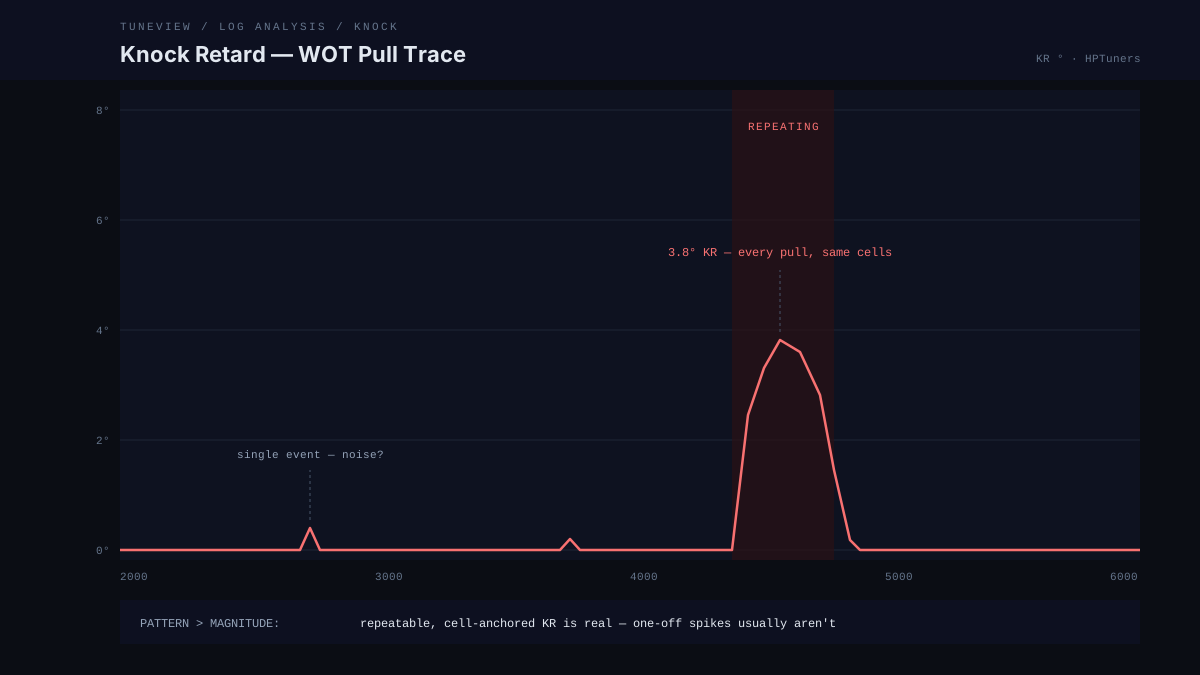
Pattern 1: Repeating KR at the Same RPM/Load Cell
What it looks like: 2–4° of KR every pull, same 4,400–4,800 RPM window, same load.
What it means: This is real. The calibration is commanding more timing than the combination supports in that cell. The ECM keeps finding it because it's actually there.
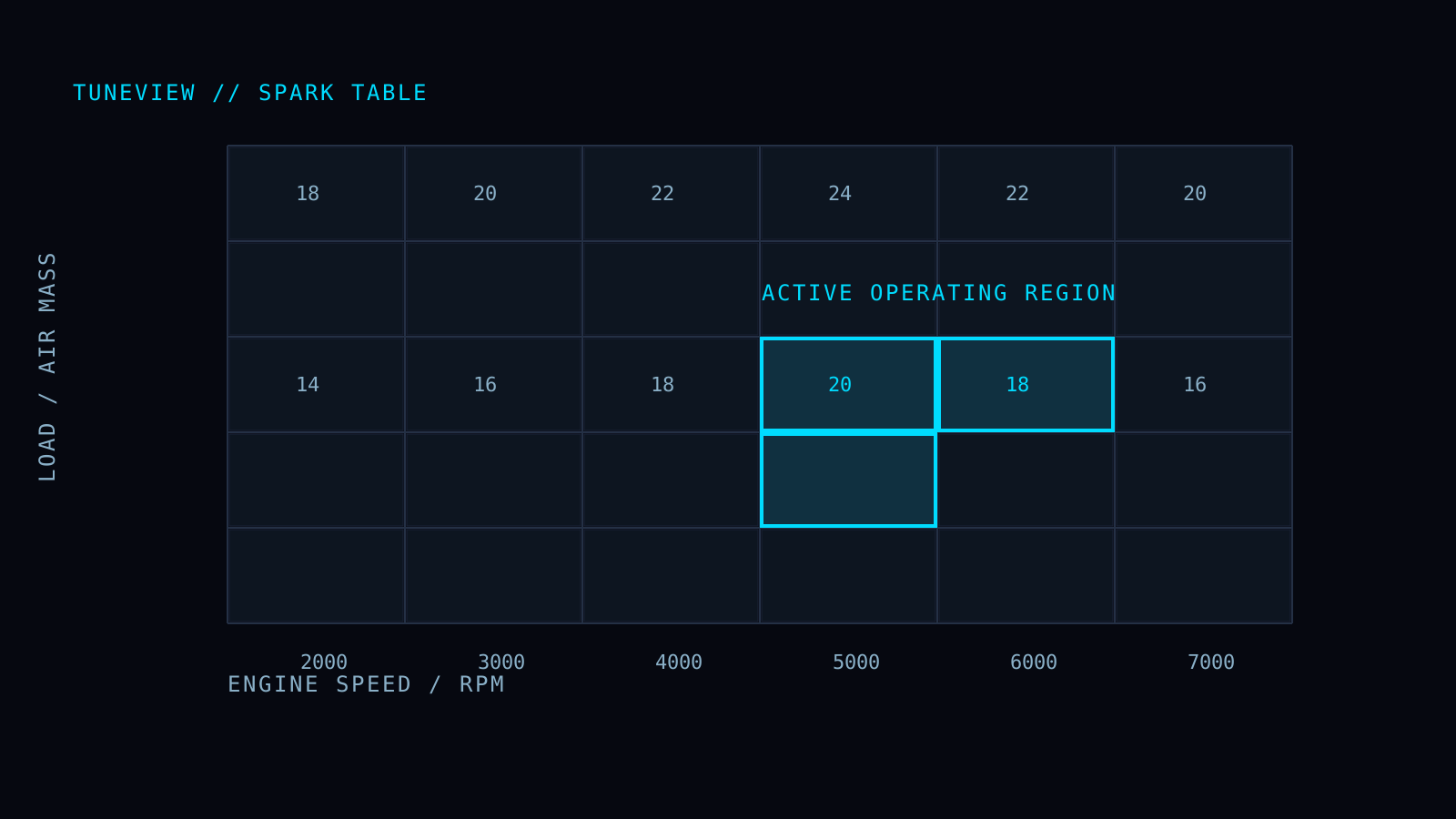
Action: Pull timing in the specific cells where it repeats — not a blanket global reduction. Verify fueling in that region first: a lean spot will present as knock.
Pattern 2: KR That Tracks Positive Fuel Trims
What it looks like: Elevated LTFT (+8% or more) and part-throttle KR showing up together.
What it means: The engine is running lean, cylinder temps are up, and the knock margin shrank. The spark table may be fine.
Action: Fix the fueling first — MAF calibration, vacuum leak, fuel delivery. Re-log. Most of the KR usually disappears with the lean condition.
Pattern 3: Random Single Events, Never Repeating
What it looks like: One 3° spike at 2,100 RPM on Tuesday, one at 5,200 RPM on Thursday, nothing consistent.
What it means: Almost always false knock — mechanical noise reaching the sensor. Common sources: exhaust leaks, loose accessories, aggressive lifters on cammed engines.
Action: Don't tune around it. Find the noise source, or confirm with a second data source (plug reading, wideband behavior at the event) before removing timing.
Pattern 4: KR Under Boost That Grows With IAT
What it looks like: Clean pulls when cold, growing KR as intake air temp climbs on back-to-back pulls.
What it means: Heat soak is eating your knock margin. On supercharged builds this is the classic pattern — the blower is adding heat faster than the intercooler can remove it.
Action: Check the IAT spark correction tables before touching the main spark table. The base calibration may be correct for the temps it was built at.
The Order of Operations
Before you remove a single degree of timing, run this sequence:
- Is it repeatable? Same cell, multiple pulls. If not, treat as noise until proven otherwise.
- Is the fueling right? Check trims and (if logged) wideband at the KR events. Lean condition = fix fuel first.
- Is it temperature-dependent? Compare KR against IAT across the log. Heat soak has its own tables.
- Only then adjust spark — in the specific cells, by roughly the KR amount observed, and re-log to confirm the change did what you expected.
That last step is the one most people skip. A timing change without a follow-up log is a guess.
Seeing This in Your Own Logs
TuneView reads the knock channels on every log automatically — it separates repeating cell-anchored KR from one-off noise, cross-references fuel trim and IAT behavior at each event, and tells you which table to touch and which to leave alone. When you re-log after the change, the next report gives you a verdict on whether the knock actually went away.
TuneView is automated log analysis for HPTuners users. GM support is live. Full Tune is $69 one-time for one vehicle/motor, with unlimited analyses and revision rounds and no expiration.