A spark table is a map, not a target. The number in a cell is only meaningful when you know the RPM, load, temperature, fuel, and correction tables in effect when the engine reached it.
This guide explains how to read the spark-related tables in HP Tuners without treating every timing value as a number to increase.
Start With the Operating Point
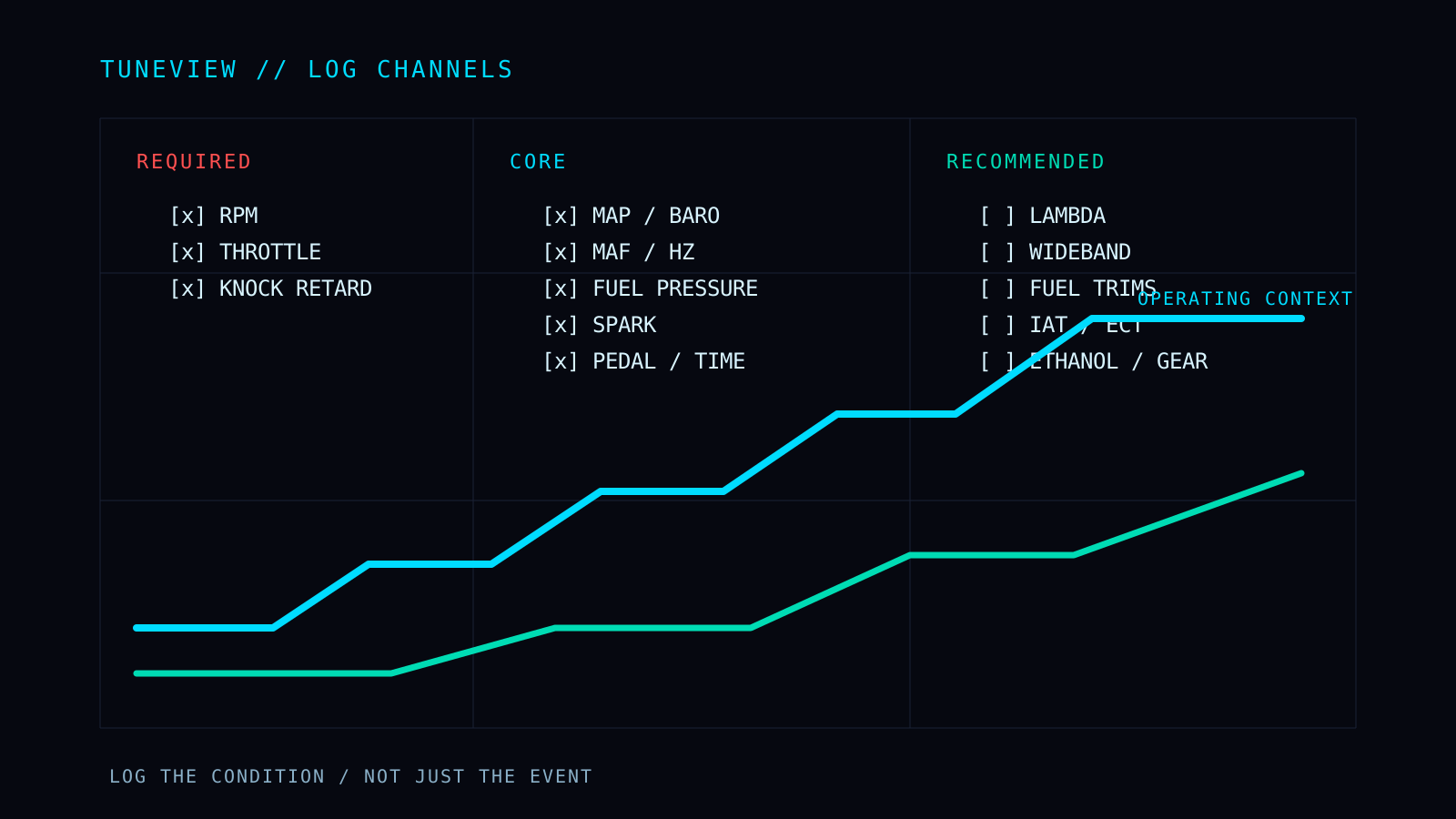
Before opening a table, use the log to establish what the engine was doing:
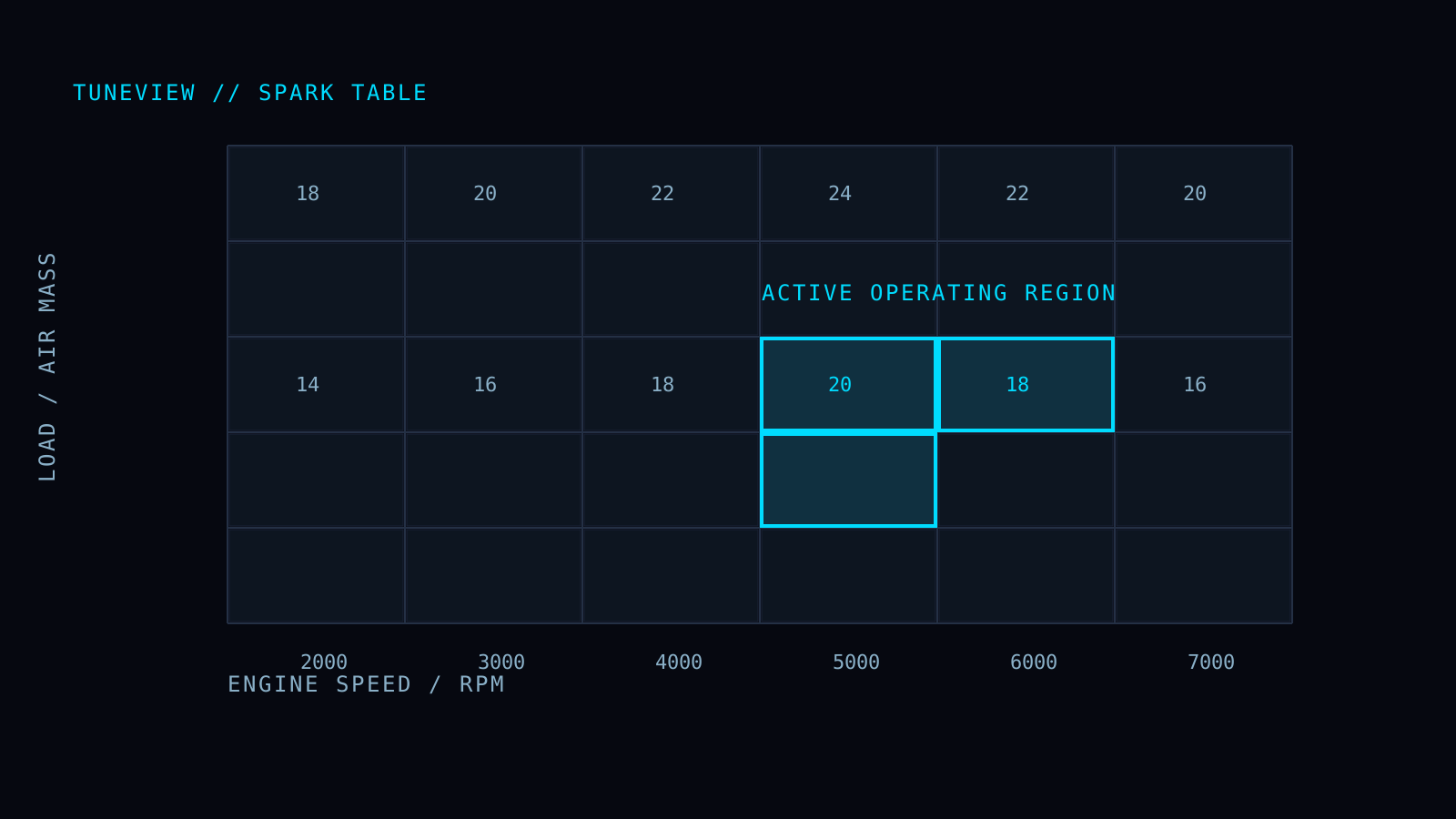
- RPM tells you the horizontal area of the table.
- Load, cylinder air mass, or airflow identifies the vertical area, depending on the controller strategy.
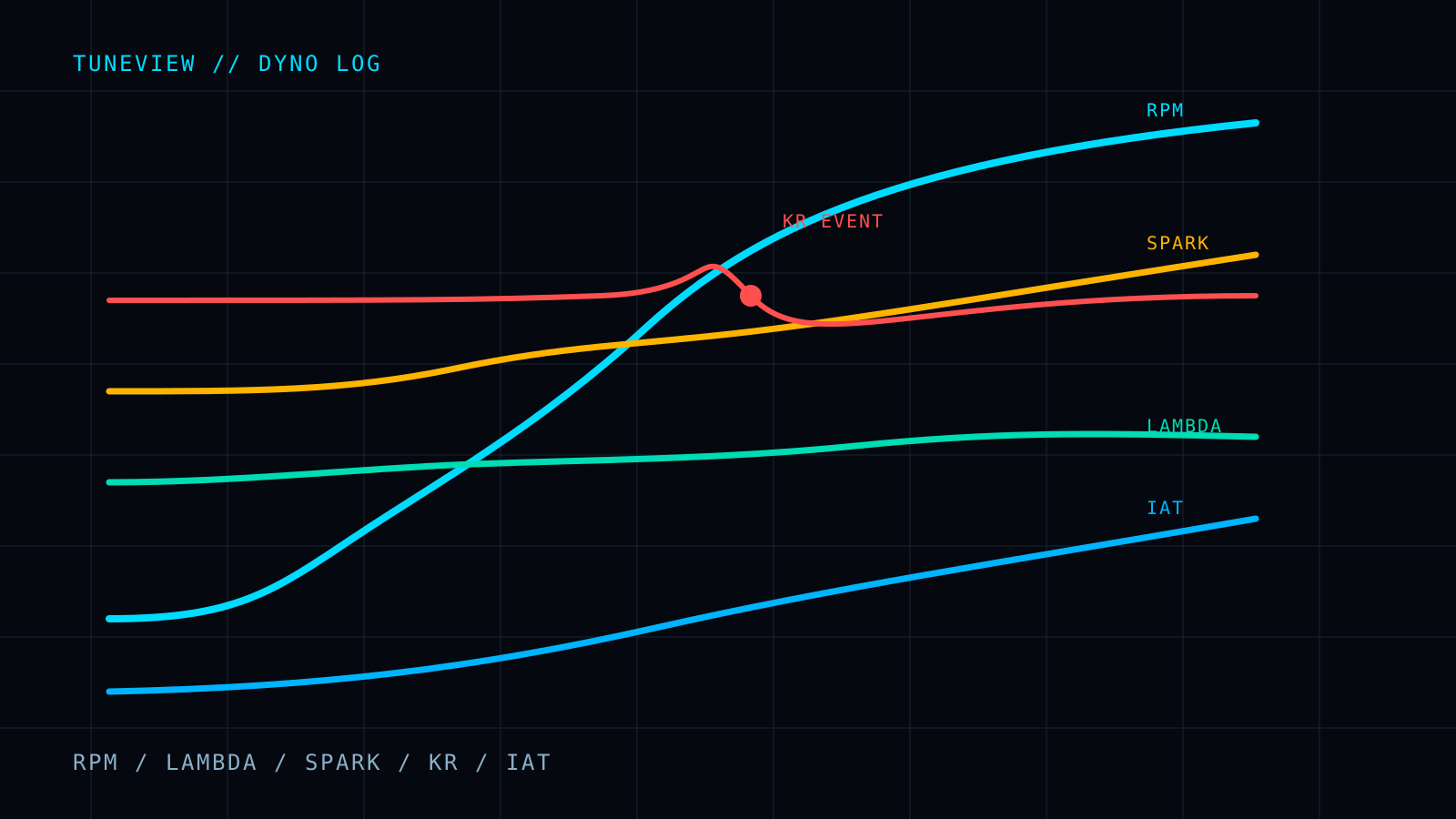
- Spark advance shows the final delivered timing, not necessarily the base-table value.
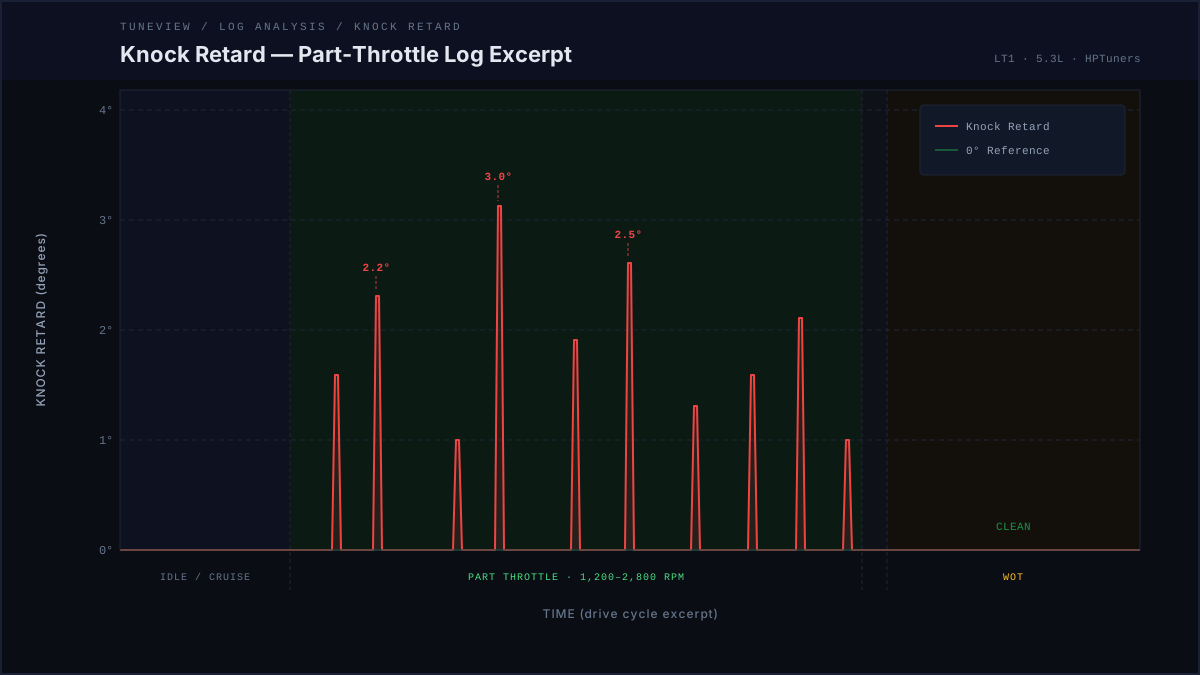
- Knock retard shows the ECM response to what it detected.
- Lambda, fuel pressure, IAT, coolant temperature, and MAP provide the context that may explain why delivered timing changed.
The question is not “what does this spark cell say?” It is “which cells did this log actually use, and what did the engine do there?”
Base Spark Is Only the Starting Point
Most calibrations have a base spark surface indexed by engine speed and load. It is the starting instruction before the ECM applies corrections, limits, and protections.
That distinction matters. If the log shows less timing than the base table commands, editing the base table may not change the result. The missing timing may come from an IAT correction, a torque intervention, a fuel-quality strategy, a transmission event, or knock control.
First compare three things at the same moment in the log:
- The operating point: RPM and the applicable load value.
- The base-table cell or nearby cells used by that point.
- The delivered spark and any active correction or knock-retard value.
Only after those agree should you decide which table is relevant.
Read the Shape, Not Just One Cell
Smooth table transitions are deliberate. A large step between neighboring cells can create an abrupt change as the engine crosses a load or RPM boundary.
When reviewing a table, look for:
- Operating-region continuity - nearby cells should make sense as a surface, not as isolated islands.
- A change that matches the log - a repeated event at the same RPM and load is stronger evidence than a single pull.
- Margin across the region - the engine does not hold one exact cell during a real pull, so a correction should cover the actual operating band without becoming a blanket reduction.
- The reason for a low value - lower timing can be intentional for temperature, torque, traction, or hardware protection.
Do not smooth or raise cells simply because they look unusual. The log has to establish that the cells are reached and that their result needs changing.
Delivered Spark and Knock Retard
Delivered spark is the value the engine received after the controller applied its logic. Knock retard is a response, not proof that the base spark table is wrong.
If knock retard repeats at the same load and RPM, check fueling and temperature before reducing timing. A lean condition or rising IAT can reduce knock margin even when the base spark surface is reasonable. If the event is random, brief, and does not return in the same region, confirm it is not mechanical noise before tuning around it.
For a detailed knock-retard workflow, see How to Read Knock Retard in an HPTuners Log.
Modifiers Are Part of the Calibration
The base table does not operate alone. The exact names differ by platform, but common spark modifiers include:
- Intake-air-temperature correction
- Coolant-temperature correction
- Knock-control response and recovery
- Torque or driver-demand interventions
- Fuel-quality or octane strategies
- Startup, idle, shift, and traction strategies
When delivered spark differs from the table, identify the modifier before editing the base surface. A correction table may be doing exactly what it was designed to do. Removing its effect without understanding the condition can make the engine less protected where it needs protection most.
Make a Change That Can Be Verified
If the evidence supports a spark change, make it small, local to the repeatable operating region, and easy to identify in the next log. Save a new tune revision and repeat comparable conditions.
Then compare:
- Delivered spark in the same RPM/load region
- Knock retard behavior
- Actual versus commanded lambda
- IAT and coolant temperature at the start of the pull
- The resulting torque or power trace, when a dyno is involved
One table change followed by one clean re-log produces an answer. Several changes at once produce a result that is difficult to trust.
The Practical Rule
Use the log to decide whether a spark change is warranted. Use the table to make the smallest change that addresses that evidence. Then re-log to confirm the outcome.
Full Tune is $69 one-time for one vehicle/motor, with unlimited analyses and revision rounds and no expiration.
TuneView helps HP Tuners users turn scanner logs into guided calibration revisions. Support for GM platforms is live.