// evidence to revision
Your datalog has the answer.
TuneView reads your HP Tuners log and tells you what to fix, where to find it in the software, and whether the last change you made actually worked. You get evidence from your own engine instead of guessing.
Example only. Your report is based on your own log data.
Add your vehicle for free, upload a log, and when you're ready for the full report it's $69. No card needed to start.
Or add your vehicle first, free, no card needed.TuneView assessment
Your log to your next edit
Your datalog
Your report card
Example only. Your report is based on your own log data.
The Problem
If you've been tuning your own vehicle,
you already know the problem.
Pull 2 degrees of timing
Add fuel, it's lean up top
Your MAF is scaled wrong
Pull 2 degrees of timing
Add fuel, it's lean up top
Your MAF is scaled wrong
01
The forum thread is 14 pages long and nobody can agree on what to do.
02
The YouTube series has four parts and none of it matches your build.
03
Your tuner does it different from everyone else, and nobody can prove who's right.
You don't need another opinion. You need the evidence from your own engine and a way to check whether the next change you make actually helps or hurts. TuneView reads your log, cross-references 18,180 calibration entries (and growing), and hands you a numbered revision plan. Re-log after the edits and it tells you whether they actually worked.
// what is tuneview
The bridge between your datalog and your next edit.
What It Is
TuneView is a web tool that reads your HP Tuners datalog and gives you a report card on your tune. It tells you what to fix, in what order, and where to find it in HP Tuners Editor. When you re-log and upload again, it checks whether your edits actually worked. It never touches your ECU or your tune file, you make every edit yourself.
Who It's For
If you tune with HP Tuners on GM Gen V LT or LS platforms, this speaks your engine. That covers Silverado, Sierra, Camaro, Corvette, and CT5-V. If you're a self-tuner who wants confidence in every edit, you get the same evidence-based process every time.
Where It Works
TuneView runs in your browser, so there's nothing to install. You export from VCM Scanner, upload, read your report, make the edits in VCM Editor, and re-log. It works alongside HP Tuners, not instead of it.
READ-ONLY
never touches your ECU
PARSER-DECIDED
not an AI black box
15,000+ ENTRIES
public knowledge base
PDF REPORT
downloadable
30-DAY RETENTION
then deleted
Supported platforms
More platforms coming soon.
How It Works
Three steps. Then repeat.
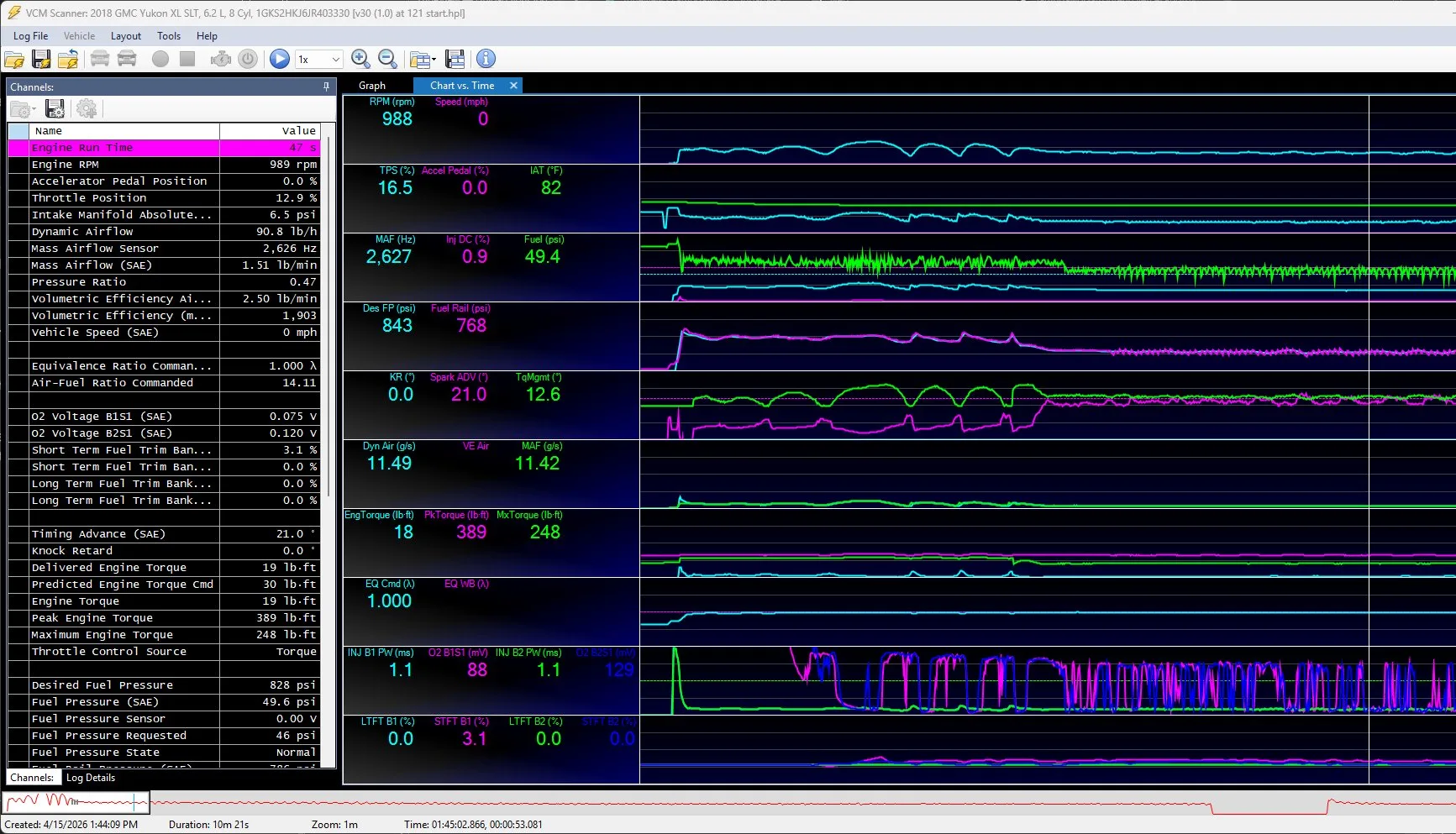
Export your log from HP Tuners Scanner
One wide-open pull plus normal driving is all you need. CSV or HPL format both work.
[+] MORE
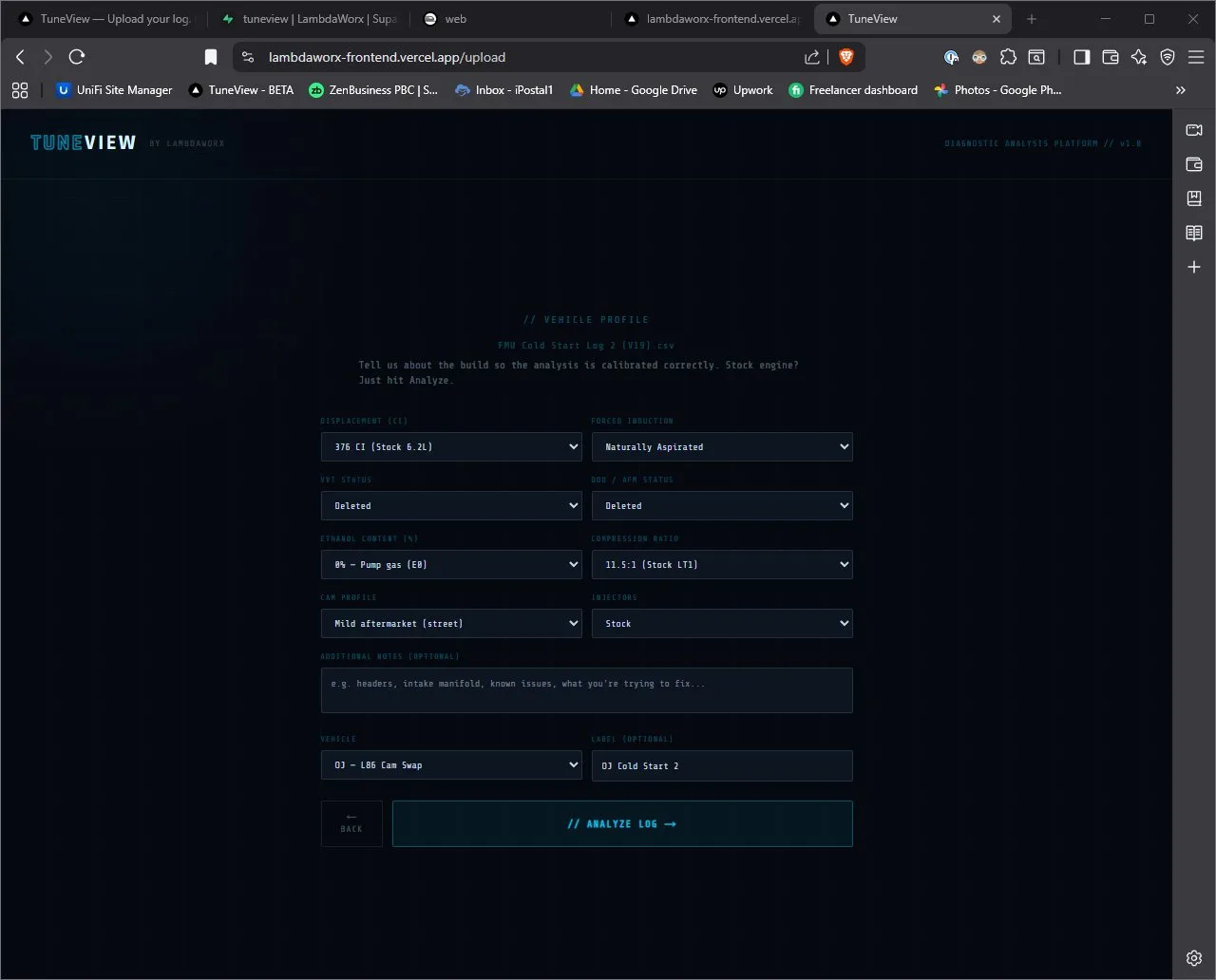
Drop it in and tell us about your build
TuneView reads the log and gives you a report card with prioritized fixes, including the exact tables, cells, and changes your log supports.
[+] MORE
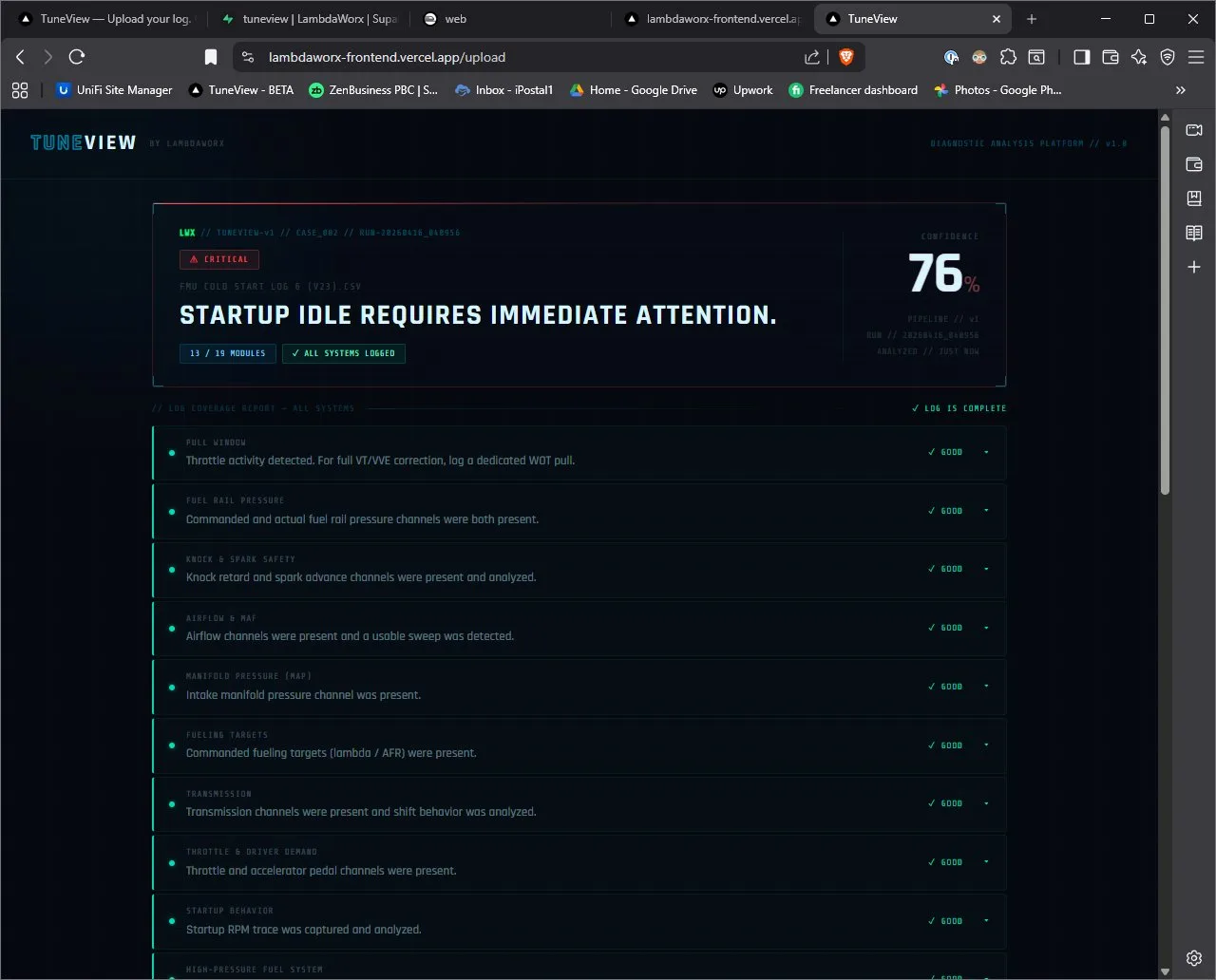
Make the edits, re-log, and see what changed
Make the edits in HP Tuners, then re-log and upload again. TuneView compares the two logs and tells you what improved, what held, and what got worse.
[+] MORE
Watch the parser read your log
The revision loop
It's a loop, not a one-shot report.
Every new log gets compared against the last revision, until the tune is right.
Baseline report
01What's unsafe, weak, or already healthy
Apply the edits
02Make the table changes in your calibration tool
Verify before flash
03Paste your table or screenshot to check cells
Re-log & upload
04Attach the new log to the same vehicle
Change report
05What improved, what regressed, what's next
↺ NEXT REVISION → BACK TO 01
// the parser
What's a parser, and why should you care?
A parser is a program that reads your datalog the same way every time. It finds each channel like RPM, MAP, knock, and fuel pressure, then locates the moments that matter like your WOT pull, your idle, and your cruise. From there it applies fixed rules to each system. It doesn't guess or invent facts, and it doesn't learn from your data and change its mind the next time you upload. The same log goes in and the same findings come out, every time, for every customer.
That's why TuneView trusts the parser to grade your tune instead of an AI model. AI is good at explaining things in plain language, but it changes its mind, makes things up, and can't be held to a standard. A parser can. When TuneView says your knock is too high at 2,200 RPM, that's a fixed rule checking your data, not an opinion.
How the parser works
READ
Opens your log and finds RPM, MAP, knock, fuel pressure, and every other channel you logged.
FIND
Locates the moments that matter, like your WOT pull, your idle, and your cruise.
RULE
Applies fixed rules to each system. Same rules for every log and every customer.
REPORT
Produces the findings, the grade, and the revision plan you follow in HP Tuners.
Think of it as a master tuner's checklist, automated and consistent. It runs the same steps in the same order on every log, and it never skips a check or invents a result.
// evidence, not guesswork
Every fix comes with evidence you can check.
TuneView backs every recommendation with a public knowledge base of 15,000+ entries across 800+ categories and 600+ engine families. You can browse it yourself, so there's no black box and no “trust me.”
Current comparison set
PUBLISHED FLOOR18,180
calibration entries
38
categories
300
engine families
Browse the public knowledge base behind every recommendation.
BROWSE THE KNOWLEDGE BASE// measured results
Did it work? The next log tells you.
Every time you upload a new log, TuneView compares it to the last round and publishes the verdict: improved, no change, or worse. The results are public, including the failures, so there's no cherry-picking. Your own vehicle page compares your latest metrics against fleet medians so you know where you stand.
VIEW MEASURED RESULTSRound-over-round verdict ledger
PUBLIC VIEW
IMPROVED
Measured result moved in the intended direction.
NO CHANGE
The follow-up log did not clear the measured threshold.
WORSE
The result regressed and needs a different next pass.
The parser is the ruler
The in-house parser applies the same fixed rules to every round. An AI model does not decide whether your result improved, held, or got worse.
// your garage
Every vehicle and every round, all in one place.
You can add as many vehicles as you want for free, no card needed. Each one gets its own history, score chart, and trend lines so you can see how your tune compares to the fleet. When you're ready to run an analysis on a vehicle, you buy a Full Tune for that one. Adding vehicles and uploading logs is always free.
Vehicle dashboard
SCORE PROGRESSIONB+
5 ROUNDS
KNOCK
LTFT
MAF SPREAD
FLEET BENCHMARK
// start the loop
Start with the log you already have.
Your first analysis gives you the baseline, the fix list, and the starting point for every future round you run on that vehicle.
// Full Tune
Full Tune
One vehicle, unlimited rounds, no expiration.
- + One vehicle, unlimited rounds, no expiration
- + Full report card with exact HP Tuners table guidance
- + Pre-flash verification so you can check edits before they reach your engine
- + Re-log verdicts showing what improved, held, or got worse
- + Downloadable PDF report
$69 one-time. No subscription. No expiration. You keep this for the life of the vehicle.
Dyno session: $500+ per visit. Remote tuner: $200+ per revision. TuneView: $69 once, no expiration.
If your log file is corrupted or truncated, TuneView catches it before analysis runs and rejects the upload. You never lose a paid round to a bad file. If TuneView can't complete an analysis due to a platform or parser limitation, contact [email protected] and we'll work with you on a resolution.
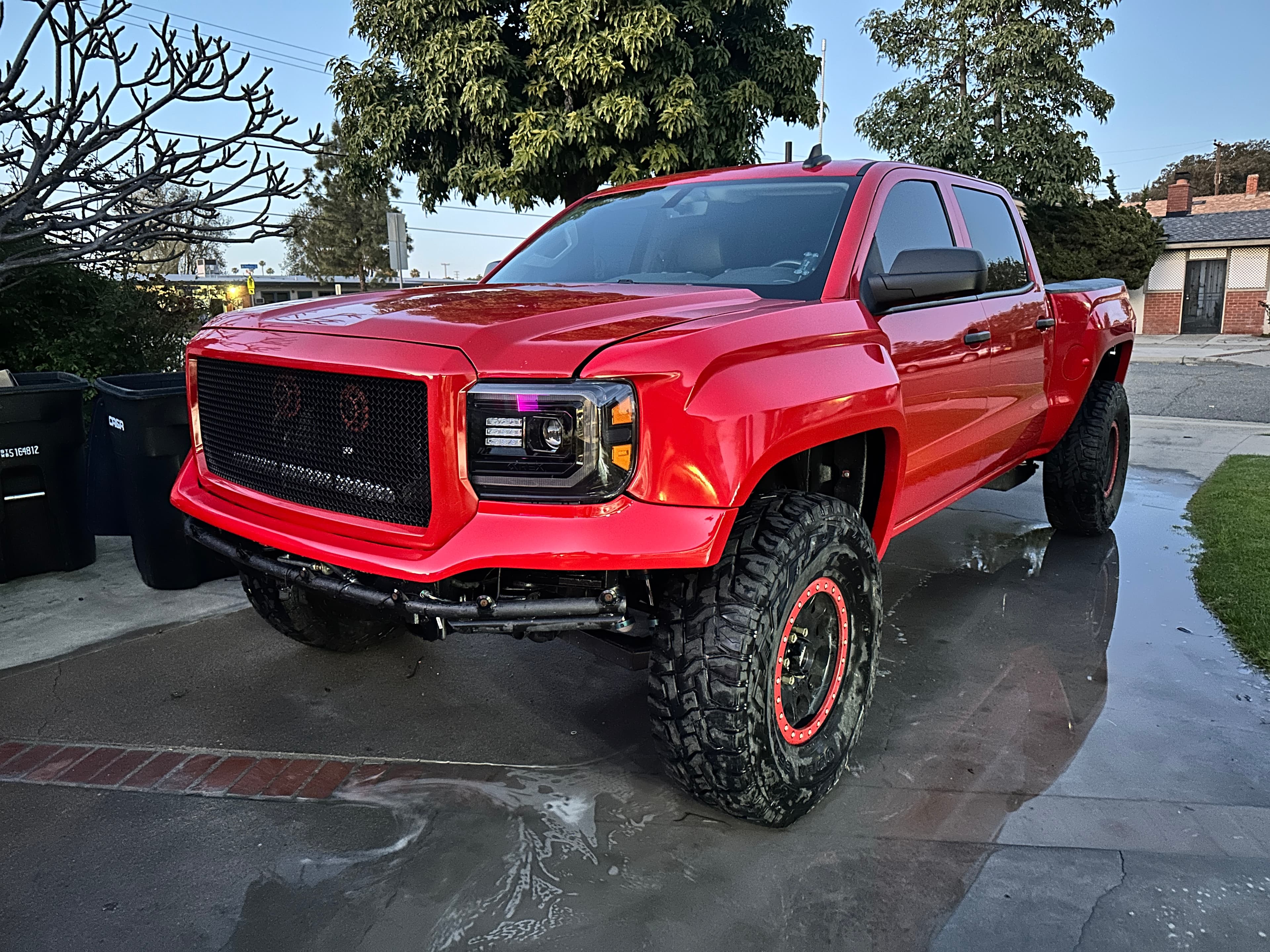
// published case study
The 416 Whipple Sierra, verdicts included.
The founder ran his own truck through TuneView. One fix improved, two held, and two got worse. The results are published right on the page, not hidden behind the wins.
See the baseline finding, the applied changes, and what the follow-up log revealed next.